
Open Source · Free for Teams
Project management that stays simple and focused
SnapWork Manager helps teams plan projects, assign people, and track issues on a clean Kanban board — without complexity or limits.
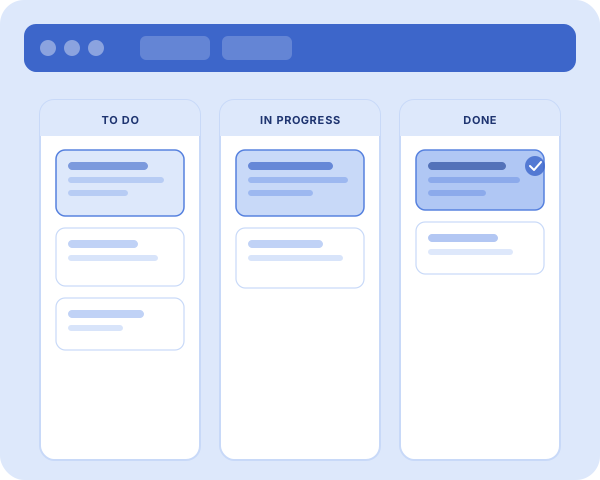


Everything you need to ship projects successfully
A focused platform designed to eliminate clutter and keep teams perfectly aligned on tasks and goals.
Kanban Boards
Visualize progress in real-time. Drag and drop tasks from "To Do" to "Done" in a clean, intuitive layout.
Teammate Collaboration
Invite members to projects, assign specific roles, and assign issues directly to owners.
Multi-Project Support
Organize multiple initiatives or clients within distinct workspaces. Keep contexts clean and separated.
Unique Issue Keys
Every project generates tickets automatically prefixed with sequential keys like PROJ-1, PROJ-2 for instant tracking.
Gmail Verification
Safe and immediate registration using secure Google Account validation to guard workspace sign-ins.
Custom Categorization
Tag projects with descriptive categories. Keep track of different operational departments or priority levels.
Versatile Project Tracking for Every Team
SnapWork Manager is designed to adapt to your unique workflow. Software teams can ship features with Kanban boards and sprints, while startups move fast with a lightweight agile-style workspace that keeps users, projects, and tickets in one place.
Agencies can efficiently run client work in separate projects, inviting teammates only where they need access. Remote teams stay perfectly aligned on status, priorities, and assignments from anywhere in the world.
Even support and operations teams can track internal requests and bugs without spreadsheet chaos, while cross-functional groups share unified boards for every major initiative.
How SnapWork Works
Designed to be intuitive. From organization setup to daily task management, here's how your team moves faster.
Register your Organization
Start by signing up with your Gmail account. We'll automatically create a dedicated workspace for your organization. This process ensures instant workspace creation with Gmail-only security, providing a safe and immediate start for your entire team.


Build your Project Space
Divide your work into logical projects. Each project gets its own unique key (like PROJ-01) and a dedicated Kanban board. You can set up custom project categories and track every task with unique issue tracking IDs for maximum organization.
Collaborate & Ship
Invite your team members via Gmail and assign them to projects. Create tickets, set priorities, and move them through your board from TODO to DONE. This fosters real-time team collaboration with no limits on users or projects.

Have questions? We've got answers.
Get all the details about SnapWork Manager accounts, projects, and permissions.
Yes! SnapWork Manager allows you to create up to 5 project spaces and invite up to 10 team members completely free, with full access to Kanban boards and priority issue tracking.
To get started, click 'Sign in to Workspace' on the landing page, and then select 'Sign up' at the bottom of the sign in form. Enter your desired Organization Name, Admin account details, and secure Gmail address.
When you create a project, you specify a short prefix/key (e.g., 'ENG' or 'MKT'). Every issue created in that space is automatically numbered sequentially, e.g., ENG-1, ENG-2, allowing teammates to reference tickets easily.
Currently, our platform supports secure Gmail account setups to ensure straightforward login verification. Teammates must use their Gmail account credentials to access organization spaces.
Organization Admins can create and delete projects, manage users, and configure settings. Members can view projects they are assigned to, create issues, move them on Kanban columns, and assign details.

Ready to organize your work?
Join over 1,000+ teams using SnapWork to ship faster and stay focused.